The remote work revolution has firmly taken hold in Australia, with more professionals than ever setting up home offices. But creating an effective workspace doesn’t have to drain your savings. Whether you’re a seasoned remote worker or just starting out, this guide will help you find quality tech essentials that won’t break the bank. We’ve researched the best budget-friendly remote work tech in Australia, all priced under $500 AUD, to help you work efficiently without the financial strain.
Budget-Friendly Laptops and Chromebooks Under $500
Affordable laptops like the Acer Aspire 3 offer excellent value for Australian remote workers
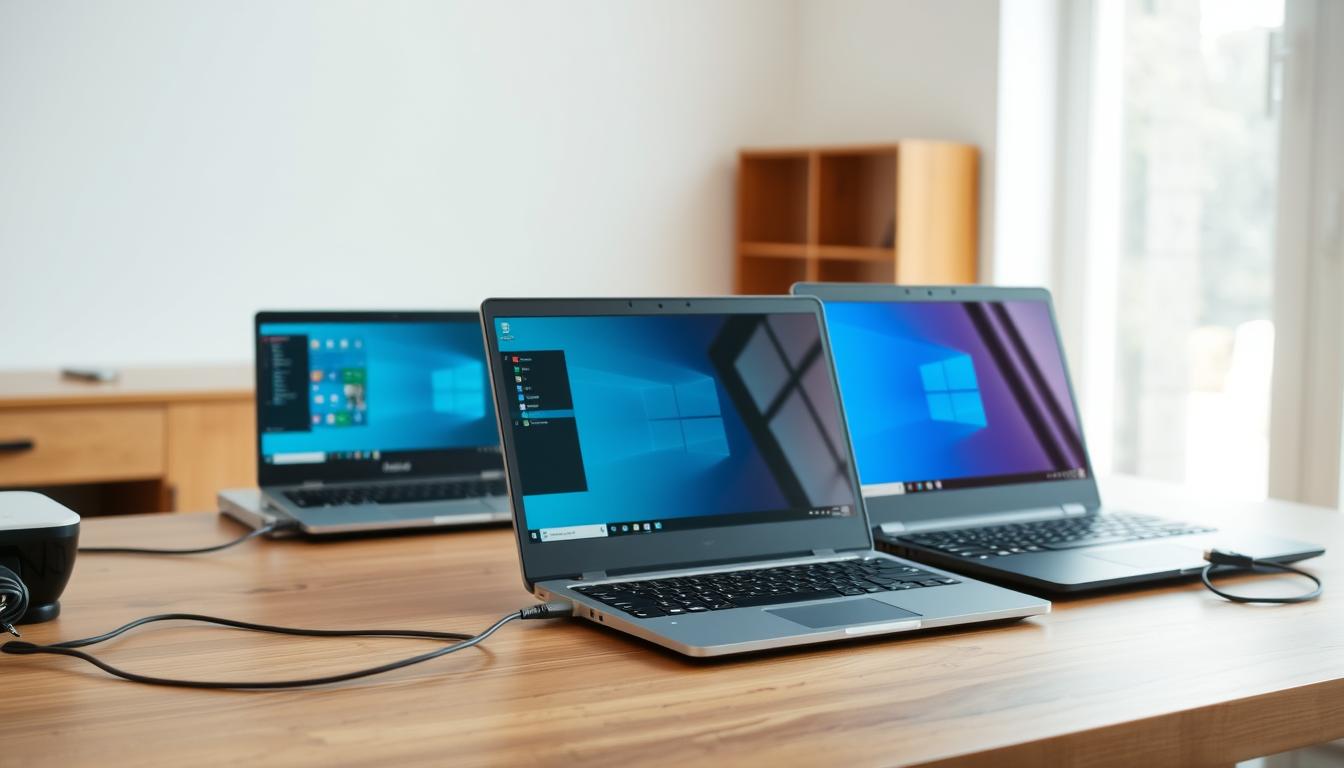
Finding a capable laptop under $500 might seem challenging, but several models offer surprisingly good performance for everyday remote work tasks. These budget-friendly options provide enough power for video conferencing, document editing, and web browsing without straining your finances.
| Model | Specs | Price (AUD) | Best For | Australian Availability |
| Acer Aspire 3 | AMD Ryzen 3, 8GB RAM, 256GB SSD | $499 | General office tasks, video calls | JB Hi-Fi, Officeworks |
| Lenovo IdeaPad 1 | Intel Celeron, 4GB RAM, 128GB eMMC | $399 | Web browsing, basic document editing | Harvey Norman, Amazon AU |
| HP Chromebook 14 | Intel Celeron, 4GB RAM, 64GB eMMC | $349 | Cloud-based work, Google Workspace | Officeworks, JB Hi-Fi |
Key Considerations for Budget Laptops
When shopping for a budget laptop in Australia, prioritize at least 4GB of RAM (8GB is preferable), an SSD for faster performance, and battery life of 6+ hours. Chromebooks offer excellent value if your work primarily involves web-based applications like Google Workspace or Microsoft 365 online.
Australian Power Tip: All laptops sold through official Australian retailers come with compatible power adapters for Australian outlets. If purchasing internationally, ensure you have an adapter for our Type I power plugs.
Find Your Budget Laptop Today
JB Hi-Fi currently offers free delivery on laptops over $300 and Officeworks provides price matching if you find a better deal elsewhere.
Affordable Noise-Cancelling Headsets

A quality headset is essential for clear communication during video meetings. Fortunately, you don’t need to spend hundreds on premium models to get effective noise cancellation and good audio quality. Here are some excellent options under $100 AUD that deliver impressive performance for remote workers in Australia.
Wired Headset Options
- Jabra Evolve 20 – $79 at Officeworks. Features noise-cancelling microphone and comfortable ear cushions for all-day wear.
- Logitech H390 – $49.95 at JB Hi-Fi. Offers USB connectivity, in-line controls, and decent noise cancellation at an entry-level price.
- Microsoft LifeChat LX-3000 – $39.95 at Harvey Norman. Basic but reliable with good microphone quality and comfortable fit.
Wireless Headset Options
- Anker Soundcore Life Q20 – $89.99 at Amazon AU. Features active noise cancellation, 40-hour battery life, and foldable design.
- JBL Tune 510BT – $69 at JB Hi-Fi. Offers 40 hours of battery life, quick charging, and multi-point connection.
- BlueParrott C300-XT – $99.95 at Kogan. Designed for noisy environments with excellent microphone quality.
“Investing in a good headset has been the single most important purchase for my remote work setup. It’s made video calls so much clearer and more professional.”
Enhance Your Video Calls
Amazon Australia frequently offers flash sales on headsets with discounts up to 30% off regular prices.
Webcams and Lighting for Professional Video Calls

Looking professional on video calls doesn’t require expensive equipment. With the right budget-friendly webcam and simple lighting solutions, you can dramatically improve your appearance in virtual meetings while keeping costs well under $100 AUD.
Affordable Webcams
| Model | Resolution | Features | Price (AUD) | Where to Buy |
| Logitech C270 | 720p HD | Built-in mic, light correction | $49.95 | Officeworks, JB Hi-Fi |
| Microsoft LifeCam HD-3000 | 720p HD | TrueColor Technology, noise-reducing mic | $59 | Harvey Norman, Microsoft Store |
| AUSDOM AF640 | 1080p Full HD | Auto focus, noise reduction | $69.99 | Amazon AU, Kogan |
Budget Lighting Solutions
Good lighting makes a bigger difference than an expensive webcam. These affordable options can dramatically improve how you look on video calls:
- NEEWER 10″ Ring Light – $39.99 at Amazon AU. Includes phone holder and adjustable tripod stand.
- BlitzWolf LED Video Light – $29.95 at Kogan. Compact, USB-powered with adjustable brightness.
- Desk Lamp with Adjustable Neck – $25 at Kmart. An affordable option that works well when positioned correctly.
Pro Tip: Position your light source in front of you, not behind, to avoid appearing as a silhouette. Natural window light positioned at a 45-degree angle to your face often provides the most flattering lighting for video calls.
Look Professional on Video Calls
Kogan offers bundle deals when purchasing webcams and lighting together, with free shipping on orders over $65.
Ergonomic Accessories That Won’t Break the Bank

Working from home for extended periods requires proper ergonomic support to prevent strain and injury. Fortunately, you can create an ergonomic workspace without spending a fortune. These budget-friendly options help maintain proper posture and comfort throughout your workday.
Standing Desk Solutions
Full standing desks can be expensive, but these affordable alternatives provide the benefits of standing while working without the high cost:
- VIVO Height Adjustable Standing Desk Converter – $149 at Amazon AU. Sits on your existing desk and adjusts between sitting and standing positions.
- Levit8 Folding Standing Desk – $79.95 at Officeworks. Portable, foldable design that’s perfect for small spaces.
- DIY Monitor Riser – Under $50 using IKEA shelves or stackable storage boxes for a budget-friendly solution.
Ergonomic Support Accessories
Back Support
- Kmart Lumbar Support Cushion – $15. Simple but effective for improving posture in standard chairs.
- IKEA JÄRVFJÄLLET Chair – $199. Entry-level ergonomic chair with adjustable lumbar support.
Wrist & Hand Support
- Anker Vertical Ergonomic Mouse – $29.99 at Amazon AU. Reduces wrist strain with natural handshake position.
- Kensington Foam Wrist Rest – $19.95 at Officeworks. Provides cushioning during long typing sessions.

“I was getting back pain from working at my kitchen table until I invested in some basic ergonomic accessories. The lumbar cushion and laptop stand cost me less than $50 total but made a world of difference.”
Improve Your Work Comfort
Officeworks offers Click & Collect within 2 hours on in-stock items and free delivery on orders over $55.
Essential Software for Remote Work on a Budget

Software is the backbone of effective remote work, enabling communication, collaboration, and security. The good news is that many excellent tools are available for free or at very low cost, making them perfect for budget-conscious remote workers in Australia.
Communication & Collaboration Tools
| Tool | Free Version Features | Paid Version (AUD) | Best For |
| Microsoft Teams | Video calls, chat, file sharing, up to 100 participants | $6.90/month with Microsoft 365 | Teams needing full Office integration |
| Zoom | 40-minute group calls, unlimited 1:1 meetings | $20.99/month | Video conferencing with external clients |
| Slack | 10K searchable messages, 10 integrations | $11.75/month | Team messaging and collaboration |
Project Management & Productivity
- Trello – Free for unlimited personal boards, $10 AUD/month for Business Class. Visual project management with cards and boards.
- Notion – Free for personal use, $5 AUD/month for Personal Pro. All-in-one workspace for notes, tasks, and databases.
- Google Workspace – Free personal Gmail, Docs, Sheets, and 15GB storage. $8.40 AUD/month for Business Starter with custom email domain.
Security & Remote Access
VPN Services
- ProtonVPN – Free version available, $6.50 AUD/month for Plus. Swiss-based with strong privacy focus.
- Windscribe – Free 10GB/month, $9 AUD/month for unlimited. Good speeds for Australian users.
Remote Access
- TeamViewer – Free for personal use. Access your home computer from anywhere.
- Chrome Remote Desktop – Completely free. Simple setup through Google Chrome.
Security Note: When using free VPNs, be cautious about data limits and privacy policies. Free VPNs may collect and sell your browsing data, so research carefully before installing.
Secure Your Remote Work
ProtonVPN offers special discounts for Australian users on annual subscriptions, bringing the cost down to about $4.99 AUD per month.
Where to Shop: Australian Retailers for Budget Tech

Knowing where to shop can make a significant difference in finding the best deals on remote work tech in Australia. These retailers consistently offer competitive prices and regular sales on budget-friendly equipment.
Officeworks
Best For: Office furniture, ergonomic accessories, and basic tech
Price Match Policy: Will beat any identical stocked item by 5%
Delivery: Free on orders over $55
Pro Tip: Check their clearance section for end-of-financial-year deals
JB Hi-Fi
Best For: Laptops, headsets, and webcams
Price Match Policy: Matches competitors but with conditions
Delivery: Free on orders over $300
Pro Tip: Floor models often available at significant discounts
Kogan
Best For: House-brand budget tech and international brands
Price Match Policy: No official policy
Delivery: Free for Kogan First members ($99/year)
Pro Tip: Sign up for email alerts for flash sales
Other Notable Retailers
- Amazon Australia – Extensive range with competitive pricing and fast delivery through Prime ($6.99/month).
- Catch.com.au – Daily deals and discounts on tech products with Club Catch offering free shipping ($69/year).
- Harvey Norman – Regular sales events and interest-free payment options for larger purchases.
- eBay Australia – Good for refurbished tech with buyer protection policies.

Pro Tips: How to Save Even More on Remote Work Tech

With a bit of strategy and timing, you can stretch your tech budget even further. These insider tips will help you find the best deals on remote work equipment in Australia without compromising on quality.
Timing Your Purchases
- End of Financial Year (EOFY) – June is the best time for office equipment sales as retailers clear stock.
- Black Friday/Cyber Monday – Now firmly established in Australia, offering significant tech discounts in November.
- Boxing Day Sales – December 26th traditionally features excellent tech deals across all major retailers.
- End of Month – Many retailers offer special deals to meet monthly sales targets.
Consider Refurbished and Demo Models
Refurbished tech can offer savings of 20-50% compared to new items while still providing warranty coverage. These trusted sources offer quality refurbished products in Australia:
- Apple Certified Refurbished – Full warranty and thoroughly tested products at 15-20% off.
- Dell Outlet Australia – Refurbished Dell laptops with warranty at significant discounts.
- Renewed by Amazon – Quality-checked used products with Amazon’s satisfaction guarantee.
- JB Hi-Fi Demo Models – Floor models often sold at 10-30% discount with full warranty.
“I bought a refurbished Dell laptop for $350 that would have cost $599 new. It came with a 12-month warranty and has been perfectly reliable for my remote work needs.”
Leverage Discounts and Cashback
- Student and Teacher Discounts – Many retailers offer 5-15% off with valid ID (Apple, Microsoft, Dell).
- Cashback Sites – Cashrewards and ShopBack offer 2-10% back on purchases from major retailers.
- Price Comparison Tools – Use GetPrice or PriceHipster to compare across Australian retailers.
- Newsletter Signups – Many retailers offer 10% off your first purchase when subscribing.
Tax Deduction Tip: If you’re using your tech for income-producing work, keep your receipts. Many remote work expenses can be claimed as tax deductions in Australia. Consult with a tax professional about your specific situation.
Frequently Asked Questions

Can I work remotely with a 0 AUD laptop?
Yes, you can work remotely with a 0 laptop, but with some limitations. At this price point, look for Chromebooks or basic Windows laptops with at least 4GB RAM and 64GB storage. These will handle email, web browsing, video calls, and basic document editing effectively.
For more demanding tasks like photo editing, video production, or running multiple applications simultaneously, you’ll likely need to increase your budget to the 0-500 range. Consider your specific work requirements before purchasing to ensure the laptop can handle your daily tasks.
Where can I buy cheap ergonomic chairs in Australia?
Several Australian retailers offer budget-friendly ergonomic chairs:
- IKEA – The MARKUS (9) and JÄRVFJÄLLET (9) chairs offer good ergonomic features at reasonable prices.
- Officeworks – Their house brand Pago offers ergonomic chairs starting from 9 with adjustable features.
- Kogan – Frequently runs sales on ergonomic chairs in the 0-250 range.
- Facebook Marketplace/Gumtree – Often has high-quality second-hand office chairs at 50-70% off retail prices, especially from businesses that are downsizing.
Look for chairs with adjustable height, lumbar support, and armrests for basic ergonomic functionality. If buying second-hand, check that all adjustment mechanisms work properly before purchasing.
What’s the minimum internet speed needed for remote work?
For basic remote work in Australia, aim for minimum speeds of 25Mbps download and 5Mbps upload. This will handle video conferencing, file sharing, and general web browsing adequately.
If your household has multiple people working or studying from home simultaneously, consider 50Mbps+ download speeds. For video-intensive work or large file transfers, 100Mbps+ is recommended.
NBN 25 plans start from around -70 per month from providers like TPG, Aussie Broadband, and Superloop. Compare plans on WhistleOut or Finder to find the best current deals in your area.
Are budget webcams good enough for professional video calls?
Yes, budget webcams in the -70 range are generally sufficient for professional video calls. Models like the Logitech C270 (.95) or Microsoft LifeCam HD-3000 () provide clear 720p video that works well for most business meetings.
The key to looking professional on video calls has more to do with lighting than webcam quality. Even an entry-level webcam will produce good results when you have proper lighting. Position a lamp or ring light in front of you (not behind) and ensure your face is well-lit to dramatically improve your appearance on video calls.
Creating Your Budget-Friendly Remote Work Setup

Creating an effective remote work environment doesn’t require expensive equipment or breaking the bank. By focusing on essential tech that meets your specific needs and shopping strategically at Australian retailers, you can build a complete setup for under $500 AUD that supports productivity and comfort.
Remember to prioritize ergonomics, reliable internet connectivity, and tools that facilitate clear communication. Take advantage of seasonal sales, consider refurbished options, and don’t overlook the value of free software alternatives that can significantly reduce your overall costs.
With the right approach, your budget-friendly remote work tech will serve you well and can be upgraded gradually as your needs evolve and your budget allows.
Start Building Your Remote Workspace Today
Officeworks currently offers a “Work From Home Bundle” with discounts when purchasing multiple items together.